Introduction
Listed below is a step-by-step guide for customers to handle the violations within their organization through the Google Cloud console.
Important: If your organization violates the Assured Workloads terms, you will receive an alert from Google and an email notification from the TSI team informing you of the issue.
Access Assured Workloads
-
In the Google Cloud Console, go to the Organization level.
-
Navigate to Compliance → Assured Workloads.
-
You will see an overview of your organization's compliance status, including any detected violations and the list of your Assured Workloads folders.
Select the Affected Assured Workload
-
Choose the Assured Workloads folder that contains one or more violations.
-
You will be redirected to a detailed view for that Assured Workload.
Review the List of Violations
-
In the details page, review the list of compliance violations associated with the selected Assured Workload.
Open a Specific Violation
-
Select the violation you want to resolve.
Review Violation Details
If you need to resolve an organization violation.
-
The violation page provides detailed information, including:
-
A summary of the violation
-
Related audit logs
-
The affected organization policy
-
Any configured exceptions
-
Related violations in child resources
-
Remediation
Apply the Recommended Remediation
-
Review the remediation steps provided on the page.
-
Click the highlighted “Edit Organization Policy” link and apply the recommended changes to resolve the violation.
 If you need to resolve a resource violation.
The violation page provides detailed information, including:
-
A summary of the violation
-
Related audit logs
-
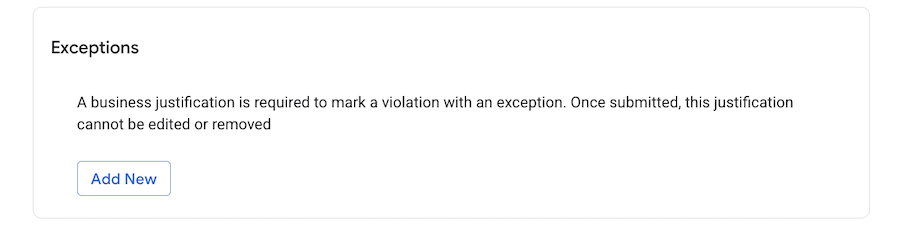
Any configured exceptions
-
Other violations on that resource
-
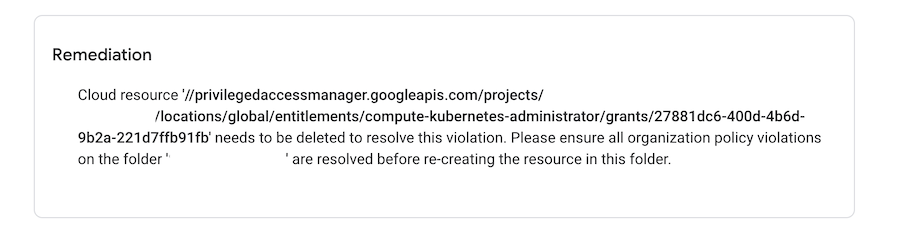
Remediation
Apply the Recommended Remediation
-
Review the remediation actions provided on the page.
Note: If there are exceptional business circumstances that prevent you from resolving the violation immediately, you may temporarily create an exception by selecting “Add New” within the Exceptions section and give your business reason.
TSI Support:
If you are unable to resolve the violation after following the remediation steps, please reach out to the TSI team via email(GCP_Service_Delivery_Management@t-systems.com) or create a Google Support case so the issue can be investigated further.
